Deploy apps from Git to your own server.
aoox runs your build, deploy, database, domain, and logs on your own server — one dashboard, no vendor lock-in.
- Built on
- Docker
- Swarm
- Traefik
- Nixpacks
- PostgreSQL
$ git push origin main → deployment#a1b2c3queued→ buildnixpacksok42s→ pushregistryok3s→ startblue/greenhealthy✓ https://app.example.com$ One dashboard for everything you run
A look at the aoox dashboard. It follows the theme you pick on this page.
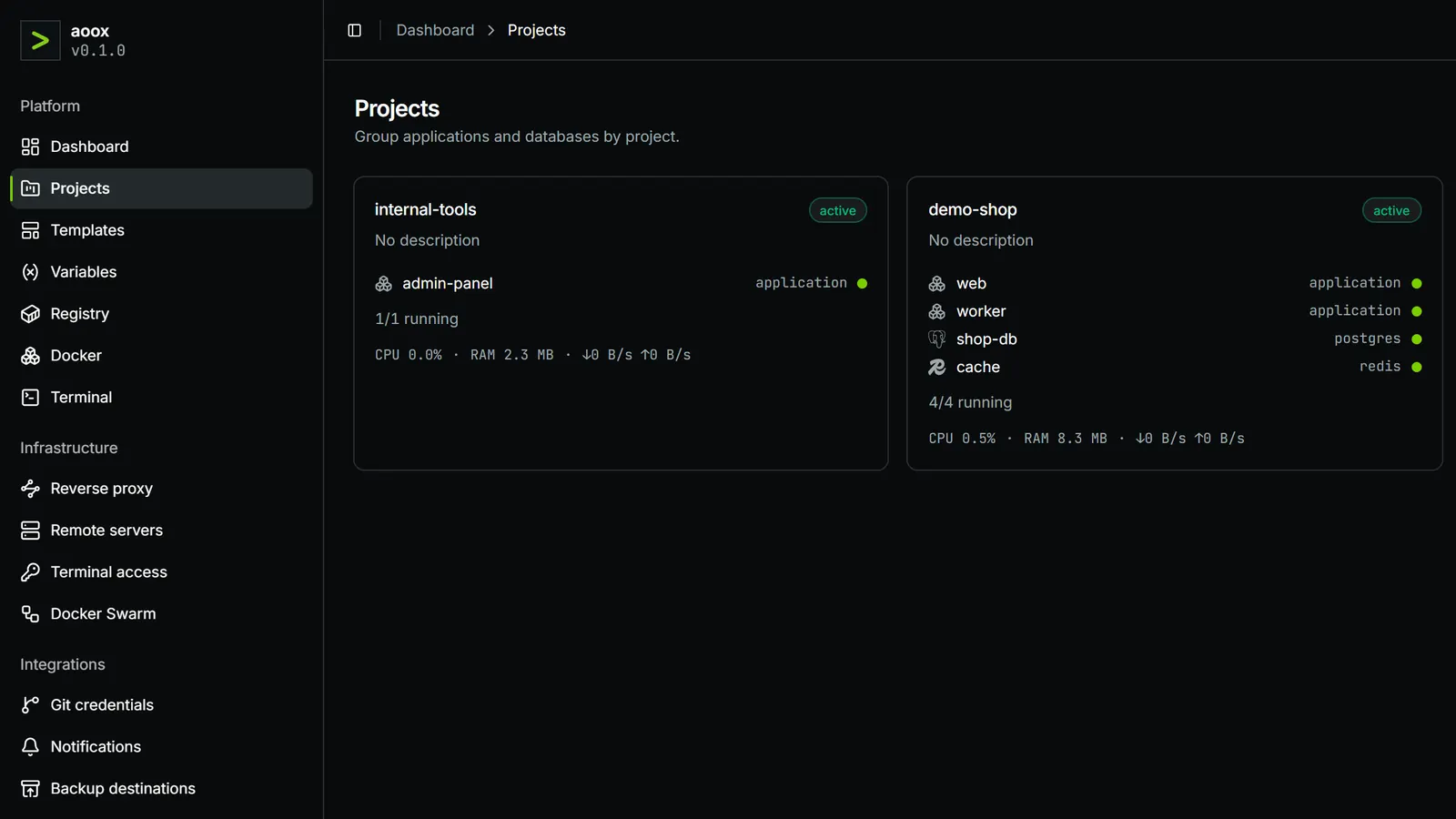
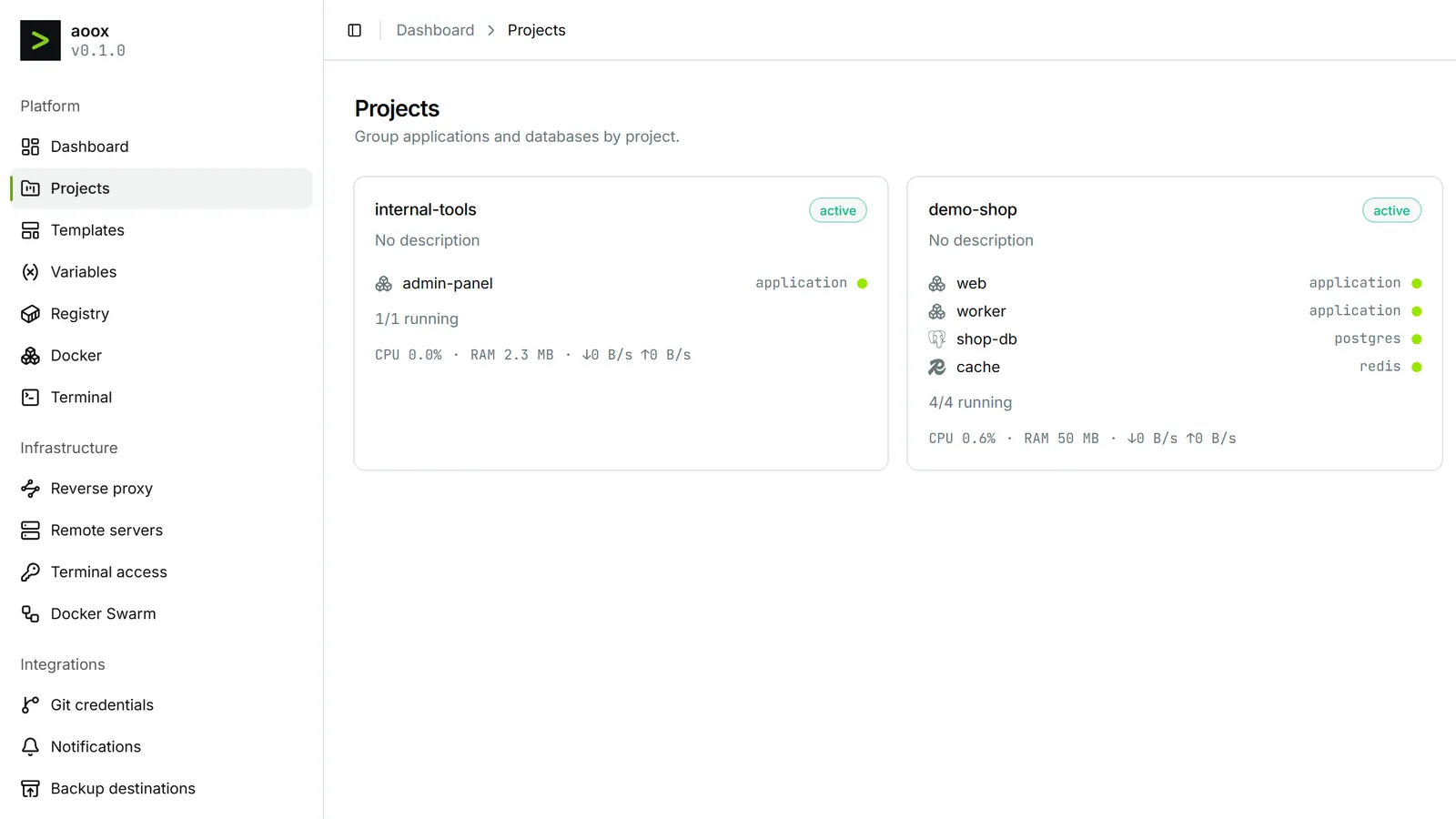
Everything you need to run applications in production.
Built on Docker. No special runtime — if it runs in a container, it runs on aoox.
- dockerfile
- nixpacks
- railpack
- image
- cli
Deploy from Git or an image
Connect a GitHub/GitLab repo — Dockerfile, Nixpacks, Railpack (with cache between deploys), or a static site — and a webhook triggers a deploy on every push. Or pull a ready-made image from a registry, with auto-update when its tag changes. No repo? The aoox CLI builds and pushes straight from your machine.
- blue/green
- healthcheck
Zero-downtime & rollback
A health check decides success or failure. Blue/green swaps without downtime, one-click rollback to the previous image.
- swarm
- replicas
- rolling update
Multi-node with Swarm
Turn the host into a manager, join other nodes, run apps as a service with replicas. Rolling updates, automatic rollback, and placement per node or label.
- postgres
- mysql
- mongodb
- redis
Managed database
PostgreSQL (plus pgvector, PostGIS, TimescaleDB), MySQL, MariaDB, MongoDB, Redis, Valkey per project. Reference credentials in env, browse tables and run queries from the dashboard.
- cron
- s3
- instance
Backup & restore
Database and app volumes, manual or scheduled, with retention and copies to S3. The panel itself can be backed up and restored too.
- traefik
- acme
Domain & TLS
Point a domain at your app through Traefik, automatic Let's Encrypt certificates, DNS checks from the dashboard — on the host or a remote server.
- ssh
- xterm
Web terminal & remote servers
Shell into the host or another server over SSH, right from the browser. Deploy to a remote server without an extra agent.
- metrics
- alerts
Monitoring & notifications
Realtime logs, host and container CPU/RAM metrics with 1-hour-to-30-day history, notifications to Telegram, Slack, Discord, webhook, email.
And more
--more- Your own domain for the panel (not just apps)
- Pull request previews
- Scheduled jobs
- Compose stacks: history, webhook, metrics
- One-click templates
- Project export & import
- Volumes & mounts
- Data browser: row edit & CSV
- 2FA, scoped API tokens, audit log
- Local registry & disk cleanup
- aoox CLI: install, link, deploy
- Shared variable sets with history
- Cloudflare DNS and DNS-01 wildcards
- Custom SSL certificates
- Traefik configuration editor
- Per-application maintenance mode
- HTTP monitor and CPU/RAM alerts
- Infisical secret source
From repo to URL in three steps.
No aoox-specific config file in the repo — everything is set from the dashboard.
- 01
Create a project & connect a repo
One project can hold several apps and databases. Paste the Git URL and the branch to deploy.
Git repositoryhttps://github.com/acme/shopBranchmainContainer port3000 - 02
Choose how to build
An existing Dockerfile, auto-detected with Nixpacks, or a static site via nginx. Add env and the container port.
Build methodDockerfile./DockerfileNixpacksauto-detectedNODE_ENV=production+2 env - 03
Deploy & watch
The build runs on the Docker daemon, the image is pushed to the local registry, and a new container comes up once its health check passes — or as a Swarm service with a rolling update.
✓buildok✓pushok✓healthhealthy✓swapblue → greenRunningshop.example.com
Bring your repo as-is.
Six ways to run an application — straight from a repo or straight from an image. Pick per app, and mix within one project.
Dockerfile
FROM node:22-alpineWORKDIR /appCOPY . .RUN npm ci && npm run buildCMD ["node", "server.js"]Full control. Point at the Dockerfile in your repo, Docker handles the rest.
Production, lean images
Nixpacks
The stack is auto-detected from your repo's contents, a Dockerfile is generated for you.
Prototypes, repos without a Dockerfile
Static site
An optional Node build stage, then nginx serves the output folder. SPA mode for client-side routing.
Vite, Astro, docs sites
Ready-made image
No build: pull an image from Docker Hub, GHCR, or your own registry. Auto-updates when the tag's digest changes.
n8n, Uptime Kuma, internal images
Docker Compose
services: web: { build: . } worker: { build: . } redis: { image: redis:7 }Deploy a multi-service stack from an existing compose file.
web + worker + queue
Template
- wordpress
- nextcloud
- vaultwarden
- grafana
- n8n
- gitea
Ready-made apps, run as a compose stack in a few clicks.
WordPress, Nextcloud, Vaultwarden, …
Build args for Dockerfile & Nixpacks; env is applied at runtime, so secrets never end up stored in the image.
One instance, many projects.
Instance roles control who can touch infrastructure; per-project membership controls who sees and changes what.
| Can do | ownerInstance owner | adminManages infrastructure | memberWorks in projects |
|---|---|---|---|
| Projects they create or are added to | ✓ | ✓ | ✓ |
| See every project | ✓ | ✓ | – |
| Deploy, rollback, backup, jobs | ✓ | ✓ | ✓ |
| 2FA, change password, API tokens | ✓ | ✓ | ✓ |
| Invite instance members | ✓ | ✓ | – |
| Registry, remote servers, Swarm, notifications | ✓ | ✓ | – |
| Web terminal & bind mounts | ✓ | ✓ | – |
| Audit log | ✓ | ✓ | – |
| Change roles, delete & reset users' passwords | ✓ | – | – |
| Provision registry & proxy, instance backup | ✓ | – | – |
- adminManages project members and can delete the project, plus everything a developer can do.
- developerCreates & deploys apps, databases, stacks, domains, backups.
- viewerRead-only — sees status, logs, and metrics without being able to change anything.
A member only sees projects they created or were added to; the instance owner and admins see everything.
- 1Inviteemail + role
- 2Copy linkshown once, 7 days
- 3Joinname + password
No email server — an invite link is generated once, you send it yourself via chat.
Runs on your own server.
Three containers from one compose file. No cloud account, no telemetry — your data and images stay on your server.
- ✓Linux VPS + root2 GB RAM + swap minimum, 4 GB recommended
- ✓Dockerinstalled automatically by the installer if missing
- ✓Port 3000 & 3001dashboard & API; 80/443 if you use a domain
$ curl -fsSL https://aoox.dev/install.sh | sudo sh→ open http://<server>:3000/setupCommon questions.
Short answers. The full detail is in the docs.
+How is this different from Coolify or other self-hosted PaaS tools?
+Do I need Kubernetes?
+Can a repo without a Dockerfile be deployed?
+What about application and database data?
+Does it deploy automatically on push?
+Is there downtime during a deploy?
+Does it work on Windows?
+Does data ever leave my server?
PUBLIC_IP is not set). Everything else is what you set up yourself: Git and image pulls, Let's Encrypt, registries, S3 backup destinations, notification channels, a DNS provider, and Infisical.+Is the dashboard available in English?
The server is already there. Just deploy.
Run one command, then open /setup to create the owner and deploy your first application.
curl -fsSL https://aoox.dev/install.sh | sudo sh- ✓One compose file
- ✓No telemetry
- ✓Open source